You are here

Scripting: automating simulation runs

This section deals with using SimileScript to automate simulations, ie runs of a model.

Cycles

Many environmental factors vary on a daily or an annual basis: e.g. temperature, radiation, evapotranspiration. It is desirable to be able to capture this if you want to capture the effect of the factor on the behaviour of your modelled system, and if the time-scale is appropriate.

Let’s assume that your time unit is the month (i.e. all your rates are expressed per month, and that simulation time is shown in month).

Sketch graphs

We can combine the use of the time function with the sketched graph. This is very useful when you have a historical record for some external factor, e.g. rainfall or temperature: the graph you sketch is a copy of the historical record.

Using functions of time

It is often useful to be able to use current simulation time in your model: for example, you may want to incorporate a gradual increase in some external variable such as temperature. For this purpose, a special function called time is provided in Simile.

Multipliers

Many ecological processes are influenced by several factors together. For example, plant growth may be influenced by temperature, radiation, and soil water content. It is often difficult to know how to combine the effect of these factors.

Conditional expressions

Sometimes, the usual mathematical expressions aren’t enough. For example, although it’s easy to say that one variable is proportional to another, by multiplying it by a constant, it’s much harder to say that the value of a variable depends on whether another variable is above or below a threshold value. Simile’s equation language provides if...then statements as a way of handling these either / or situations.

Differential equations

At heart, many Systems Dynamics models consist of differential equations, each one represented by a compartment / flow structure, though you don’t need to know this to set up the model. On the other hand, if you’re given the differential equations, it is very straightforward to enter these into the model.

For example, given the differential equation:

dx/dt = x/20 - x2/2000

you know two things:

Mathematical expressions: expressing mathematical equations in Simile

This section focuses on how to express mathematical expressions in Simile as diagram symbols and an expression in Simile.

State-dependent rate changes

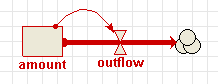
This is one of the most common constructions. The rate of change of the state variable is a function of its present value.


Page type: 
Tags: 

Model diagrams : combinations of diagram elements

This section deals with arrangements of diagram elements to achieve certain goals.

Pages

Subscribe to Simulistics RSS